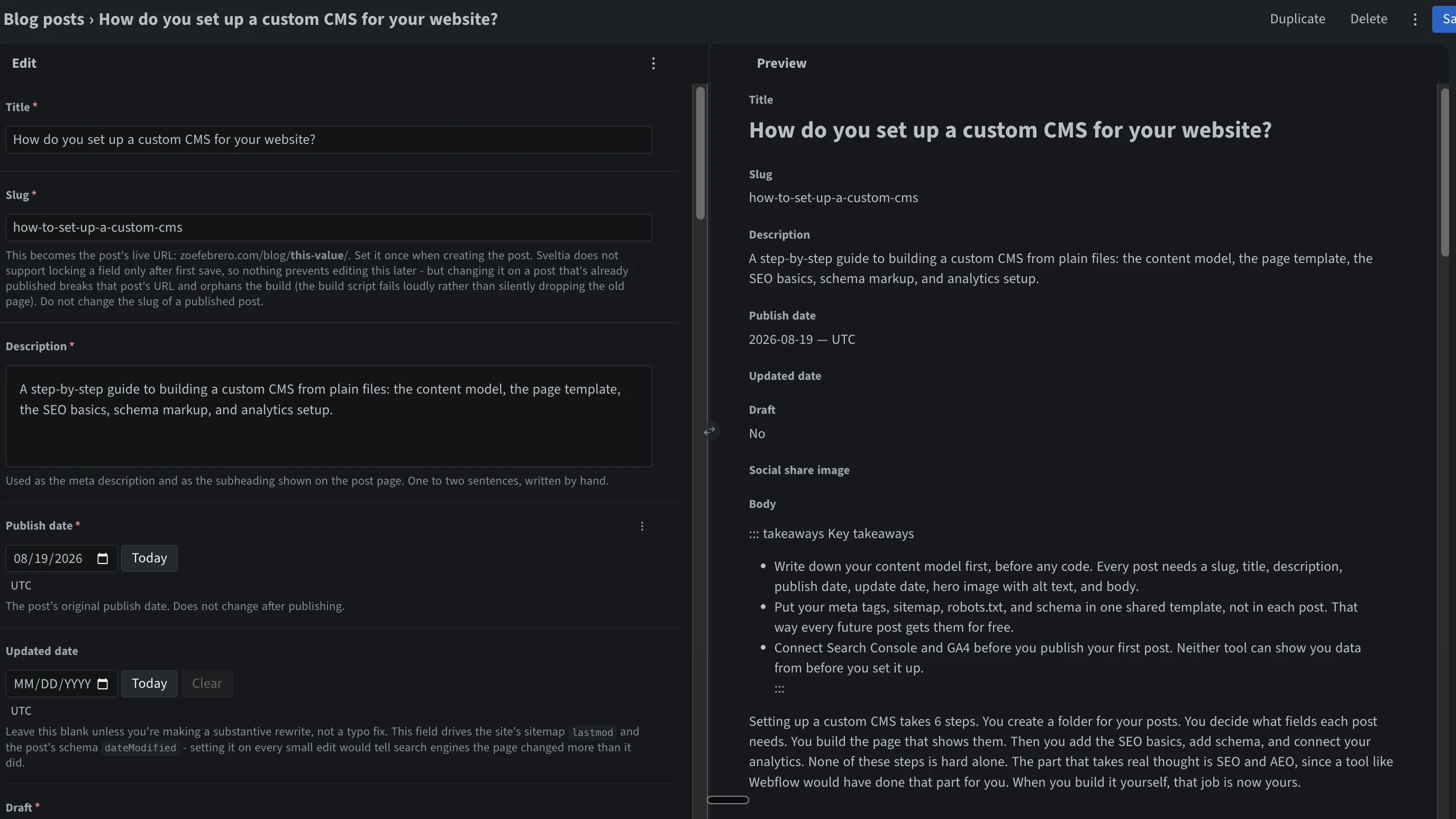

- Write down your content model first, before any code. Every post needs a slug, title, description, publish date, update date, hero image with alt text, and body.
- Put your meta tags, sitemap, robots.txt, and schema in one shared template, not in each post. That way every future post gets them for free.
- Connect Search Console and GA4 before you publish your first post. Neither tool can show you data from before you set it up.
Setting up a custom CMS takes 6 steps. You create a folder for your posts. You decide what fields each post needs. You build the page that shows them. Then you add the SEO basics, add schema, and connect your analytics. None of these steps is hard alone. The part that takes real thought is SEO and AEO, since a tool like Webflow would have done that part for you. When you build it yourself, that job is now yours.
What is a custom CMS?
A CMS is just a system for managing content. A custom CMS means you built that system yourself instead of buying one.
In practice, it is 2 things. One is a folder of files, one file per blog post. The other is a page template that turns each file into a real webpage. That is the whole idea. It sounds bigger than it is because most people hear "CMS" and think of WordPress.
What are the pros and cons of a custom CMS?
| Pros | Cons |
|---|---|
| You control everything, so your SEO tags and schema are exactly right | Nothing is set up for you, so you have to build the SEO basics yourself |
| Your content lives in the same place as your code | Publishing a post means editing a file and redeploying the site |
| No monthly fee, no plugins to manage | No editor screen, so writing a post means writing HTML or markdown by hand |
| Fast, since you control what loads | You fix it yourself when something breaks |
Short version: worse than Webflow until step 4, better than Webflow after.
How do you set up a custom CMS, step by step?
1. Make a folder for your posts and a page for them to live on
Create a folder in your project, something like /blog. Each post gets its own file. Then build one page template that every post shares, so you only design the layout once.
2. Decide what every post needs
This step matters more than it looks like it does. These are the details search engines and AI tools actually read. At minimum, every post needs:
- A slug, which is the part of the URL after
/blog/. Set this yourself and never change it once it is live, even if you rename the post later. - A title and a short description, written by hand rather than copied from the first sentence of the post.
- A publish date and an update date.
- A hero image, plus a short line of alt text describing what it shows.
- The body of the post.
3. Build the page template
One template, reused by every post. Put anything that every post needs into this template. Things like the title tag, the schema, and the layout. That way, if you fix something once, every post gets the fix.
4. Add the SEO basics
This is the step most people skip. It is also the one that decides whether anyone finds your posts at all.
Every post needs its own title tag and meta description. Add a canonical link that points at itself. Add Open Graph tags too, so your post shows a real preview image when someone shares it on LinkedIn, not a blank box.
You also need a sitemap. This is a file that lists every page on your site. If you already run a small script to build your site, have that script rebuild the sitemap every time you deploy. That way it never goes stale. Then write a robots.txt file. This tells crawlers what they can look at. Point it at your sitemap. Make sure it allows the AI search crawlers, like OAI-SearchBot and PerplexityBot. A lot of sites block every crawler with "AI" in the name by accident. That also blocks the ones that could get you cited in ChatGPT and Perplexity.
5. Add schema markup
Schema is a small block of code in the page. It tells search engines and AI tools exactly what they are looking at, instead of making them guess. Add an Article block to every post, with the title, author, and both dates. Add a Person or Organization block too, with a sameAs field linking to your other profiles like LinkedIn. That link is what lets an AI tool confirm you are a real person, not just a name on a page. Once it is live, check it with Google's Rich Results Test. A single typo can make the whole block silently fail.
6. Connect Search Console and GA4 before you publish
Verify your site in Google Search Console. You do this with a DNS record from your domain host. Then submit your sitemap there. Add Google Analytics next, and link the two together in the GA4 settings. Do this before your first post goes live. Search Console only collects data from the day you verify it, not before.
How did I set up the custom CMS on zoefebrero.com?
My site is plain HTML, CSS, and JavaScript. No framework. It is hosted on Vercel. A small Node build script now does two things: renders every markdown file in content/posts/ into a page, and rebuilds the sitemap. No database, no admin UI, no server. Editing a post means editing its markdown file, either locally or through GitHub's own editor, and pushing - GitHub already handles login and permissions, so there is nothing extra to build there.
The frontmatter on this exact post is the content model from step 2: a title, a slug, a description, a publish date, and an optional update date. The one field I added beyond that minimum: updated only shows up in the sitemap and the schema when I have actually set it. Fixing a typo does not touch it, so a post's lastmod still means what it is supposed to mean, instead of quietly telling Google the page changed every time I redeploy.
The part that surprised me is how much of this only gets built once. The sitemap script, the schema in the template, the tracking setup, all of it just runs from here on. Every post I publish from now on gets measured without extra work.
If you would rather have someone build the content system that sits on top of all this, book a call.
Custom CMS FAQ
Do I need a real CMS tool instead of building my own?
Only once someone who cannot edit code needs to publish posts. Until then, files are simpler, and moving from files to a real CMS tool later is not a hard switch to make.
Will a custom CMS hurt my SEO?
Not on its own, but it will by default, since a tool like Webflow sets up your meta tags and sitemap for you automatically, and a custom build does none of that until you build it yourself in step 4.
Do I need a file called llms.txt?
No. Very few sites have one, AI crawlers barely request it, and Google has said outright that it does not support the format. Spend that time on schema instead.